

Entry 007
Formatting reference
Every Markdown feature the site supports, in one page, so you never have to remember the syntax while you are trying to think about something else.

This page exists to be looked at while writing, and to prove the pipeline works.
It is permanently a draft, so it never appears in the archive, the feed or the
sitemap — but it renders in astro dev, in the real typography, which is exactly
where you want to check what a folded callout or a wide table actually looks
like.
Everything below is plain Markdown. Nothing on this page required a component import, an HTML tag, or a CSS class.
Headings and structure
A ## opens a section and appears in the table of contents. A ### nests under
it. Anything deeper is not shown in the contents, on the grounds that if an
article needs four levels of hierarchy the problem is the outline, not the
renderer.
A third-level heading
Paragraph text sets at 68 characters, which is the measure the whole design is built around. Code blocks, tables and diagrams break out wider than this automatically — you do not have to mark them.
Callouts
Written exactly as they are in Obsidian, so the same file renders correctly in both places.
Callouts fold, using - to start closed and + to start open. Folding is a
<details> element, so it costs no JavaScript, stays keyboard-operable, and the
browser can still find text inside it.
A folded callout, closed by default
Useful for a long packet dump, an alternate derivation, or a tangent that would otherwise interrupt the argument.
It can hold several paragraphs, and any other block content:
4500 003c 1c46 4000 4006 b1e6 c0a8 0068A folded callout, open by default
Same mechanism, opposite starting state.
The full set of kinds: note, summary, info, todo, tip, success,
question, warning, failure, danger, bug, example, quote. Obsidian’s
aliases work too — abstract, tldr, hint, important, check, done,
help, faq, caution, attention, fail, missing, error, cite.
Code
Inline code looks like kinit -k -t /etc/krb5.keytab and sits on the baseline
without disturbing the line height.
Fenced blocks are highlighted at build time. No highlighter is sent to the browser — the colours are already in the HTML.
def parse_asn1_length(data: bytes, offset: int) -> tuple[int, int]:
    """Return (length, bytes_consumed) for a DER length at `offset`."""
    first = data[offset]
    if first < 0x80:
        return first, 1

    count = first & 0x7F
    if count == 0:
        raise ValueError("indefinite length is not valid in DER")

    length = int.from_bytes(data[offset + 1 : offset + 1 + count], "big")
    return length, 1 + count
# Long lines scroll inside the block rather than widening the page.
sudo tcpdump -i eth0 -nn -s0 -A 'tcp port 88 and (tcp[tcpflags] & tcp-push != 0)'Diagrams
Mermaid diagrams are written in a fenced block and rendered to a static SVG during the build. The Mermaid library itself never reaches the reader.
flowchart LR
    A[Client] -->|1. AS-REQ| B[(KDC)]
    B -->|2. AS-REP| A
    A -->|3. TGS-REQ| B
    B -->|4. TGS-REP| A
    A -->|5. AP-REQ| C[Service]
Sequence diagrams work the same way.
sequenceDiagram
    participant C as Client
    participant K as KDC
    C->>K: AS-REQ (no pre-auth)
    K-->>C: KRB5KDC_ERR_PREAUTH_REQUIRED
    C->>K: AS-REQ + encrypted timestamp
    K-->>C: AS-REP (TGT + session key)
Tables
Tables break out past the prose measure automatically.
| Message | Direction | Encrypted under | Carries |
|---|---|---|---|
| AS-REQ | Client → KDC | client long-term key | pre-auth timestamp |
| AS-REP | KDC → Client | client long-term key | TGT, session key |
| TGS-REQ | Client → KDC | TGT session key | service name |
| TGS-REP | KDC → Client | TGT session key | service ticket |
Images
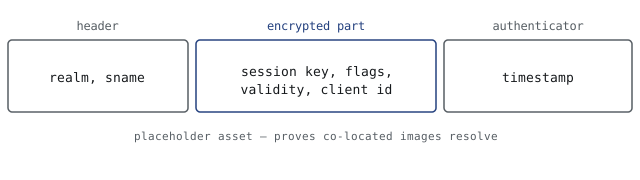
Images sit next to the article in its own folder, referenced with a relative path. They are optimised at build time and get width and height attributes, so nothing shifts as the page loads.
The rest of Markdown
Ordinary emphasis: italic, bold, and both. Struck through.
Lists behave as expected:
- A bulleted item
- Another one
- Nested one level
- And a sibling
- Back to the top level
- Numbered lists carry order as meaning
- So use them only when the order matters
- Otherwise use bullets
Task lists render too:
- Understand the mechanism
- Write the explanation
- Cut it in half
A blockquote that is not a callout stays an ordinary quote:
Any sufficiently advanced misconfiguration is indistinguishable from a backdoor.
Footnotes work with the standard syntax.1 They collect at the bottom of the article with a link back to where they were referenced.2
Horizontal rules separate things that are genuinely different:
Links are set in the accent colour and underlined.
Smart punctuation happens automatically — straight quotes become “curly ones”, and a double hyphen becomes an en dash.